Thursday, April 16, 2015

New sharing options, languages and more with the latest version of the Google Drive Android app

Posted: 16 Apr 2015 04:54 AM PDT
A new version of the Google Drive Android app is coming to Google Play over the next week. New features include:
§ After uploading a file, the ability to add people to sharing settings and share a link directly from the upload notification:notification-share.png
§ Ability to access a contact’s extended information from the sharing section of the details pane of a file in Drive
§ Ability to remove a parent of a file from the details pane when a file is multi-parented
§ Support for 23 new languages (Afrikaans, Amharic, Armenian, Basque, Bengali, Chinese (Hong Kong), Estonian, French (Canada), Galician, Georgian, Icelandic, Kannada, Khmer, Lao, Malayalam, Marathi, Mongolian, Nepali, Sinhala, Swahili, Tamil, Telugu, Zulu)
§ PDF viewer improvements (better scrolling and handling of multi-layout PDFs)
§ Performance and UI improvements
We’ve also corrected an issue where Drive was not properly preventing uploads for accounts where Drive had been turned off by Apps admins.

Release track:
Rapid release and Scheduled release (gradual rollout)

Friday, April 10, 2015

Podcast PD Week Two - Angela Watson's Truth for Teachers


Last Friday, April 3rd, I introduced the weekly series, Podcast PD and charged you with exploring educational podcasts as a way to leverage your learning in a nontraditional learning environment. I hope many of you accepted the challenge and downloaded a podcast and listened to a whole episode. I heard from a number of you that you had never explored podcasts in general, let alone educational podcasts. The feedback I received via Twitter was positive. Teachers throughout my PLN (Professional Learning Network) shared their adventures in subscribing and listening to something new. Some asked questions. Others shared their love for podcasts and made recommendations for radio shows to which they subscribe. Still others shared their experiences being interviewed for a podcast! Overall the Twitter conversation that transpired was inspiring. The conversation was so motivating and connected so many people, I decided to capture the conversation using the amazing site Storify.  I hope that you are inspired to try a new podcast this week!

This week I recommend Angela Watson’s Truth for Teachers with Angela Watson (@Angela_Watson)

Angela packs a lot of power and punch into her quick (think 9-14 minutes) weekly episodes! Topics range from beating the Sunday night blues to how to approach teaching with a spirit of adventure to how to cope when a parent just doesn’t like you. Her advice is spot on and applicable to the novice and not so novice teacher. I like to listen to her podcasts Monday morning on my way to school as a way to charge the batteries for the week ahead. Her encouragement and take away truth really set a positive tone. Angela signs off on each episode by saying “I’m not telling you it’s going to be easy, I’m telling you it’s going to be worth it.”, a quote from Art Williams. I can assure you that her podcast is worth it! For more information about Angela and Truth for Teachers visit Angela’s website at The Cornerstone For Teachers.

Tips and Tricks for Getting the Most PD From Your Podcast Listening Experience
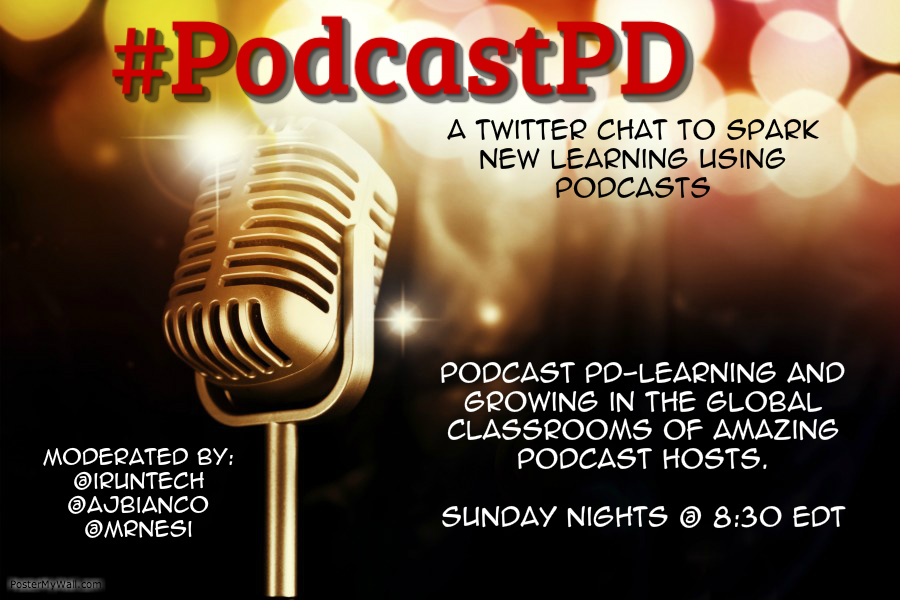
PPD3.jpgAs I mentioned at the start of this post, ideas were flying around Twitter on Friday evening after a friend posted that she had downloaded and listened to her first podcast and was hooked. As we started discussing future shows to explore and others joined our conversation, the idea for a new Twitter chat was born. Please join me Sunday evening at 8:30 pm EDT for #PodcastPD. There we will discuss the learning that is taking place as we step into the virtual classrooms of some amazing podcast hosts. I hope to see you Sunday night at 8:3o!

Wednesday, April 8, 2015

Month view added to Google Calendar app for Android

Posted: 08 Apr 2015 09:18 AM PDT
We launched the new Google Calendar app for Android last year, helping to save you time and make the most of every day. In February, we launched an updated version containing several additional features based on user feedback, and today we’re doing the same.

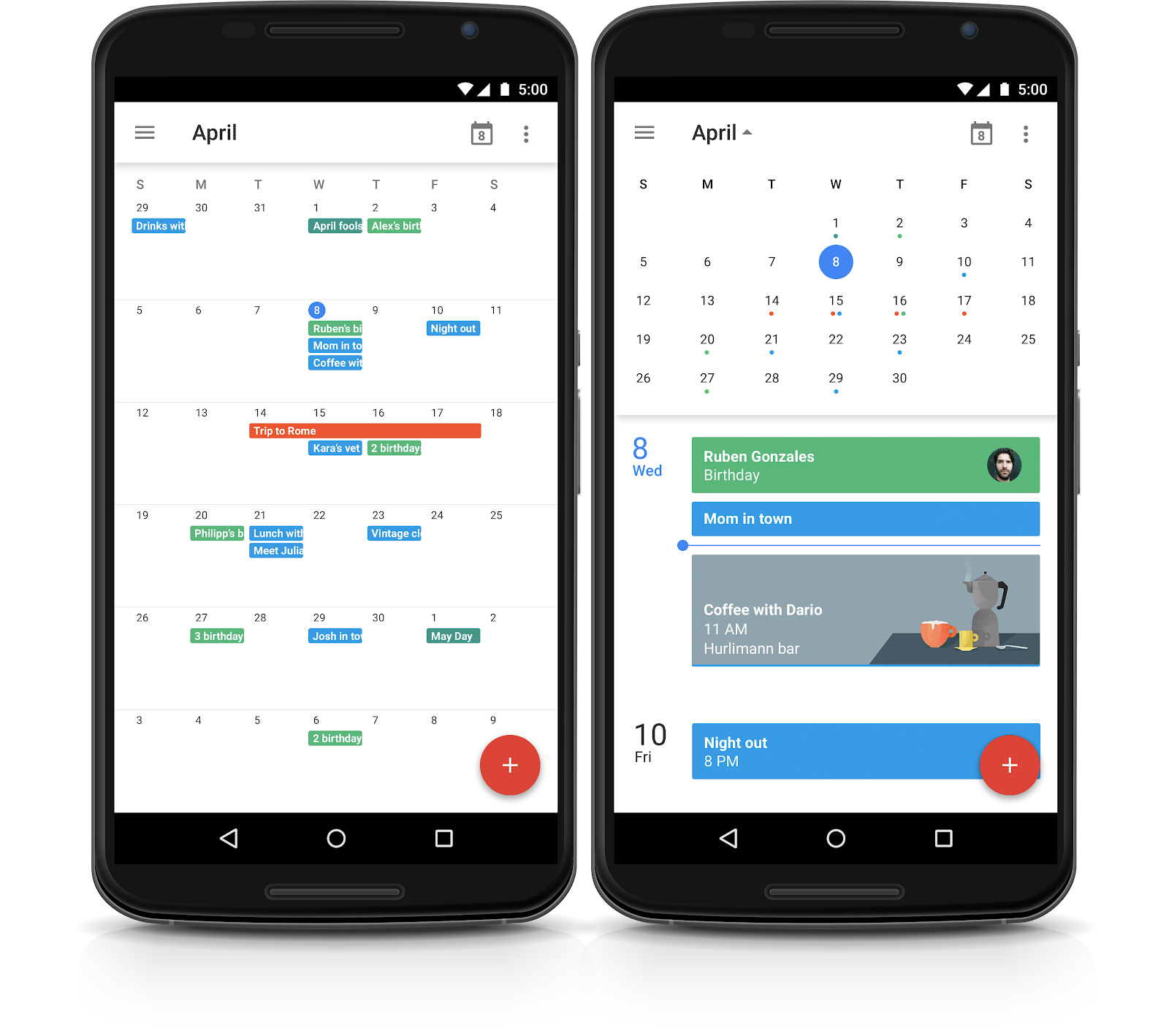
Month view has been added (back) to the latest version of the Google Calendar app for phones, coming to Google Play over the next few days.

Month view provides a high level view of all scheduled events for a full month, allowing people to then tap on a specific day for a closer look. Access to all available views (Schedule, Day, 3 Day, Week, Month) has also been moved from the overflow menu into the navigation drawer.

In addition, you can now see the color of events when jumping to a particular date from the drop down in the header when in Schedule, Day, 3 Day or Week view.

We're working on bringing many improvements to the new iPhone app as well.

Release track:
Rapid release and Scheduled release (gradual rollout)

Friday, April 3, 2015

Podcast PD-A Series Exploring the Infinite Resources Available Over the Air Waves


As teachers we often find ourselves stuck in the rut of attending traditional Professional Development (faculty meetings, in district PD, out of district workshops, morning shares and lunch & learns). In the ever evolving educational world in which we live there are myriad ways to expand your learning: from Edcamps and unconferences, to weekend workshops and week long seminars, to books, blogs and webinars. One of my favorite ways to develop professionally is to listen to an educational podcast.

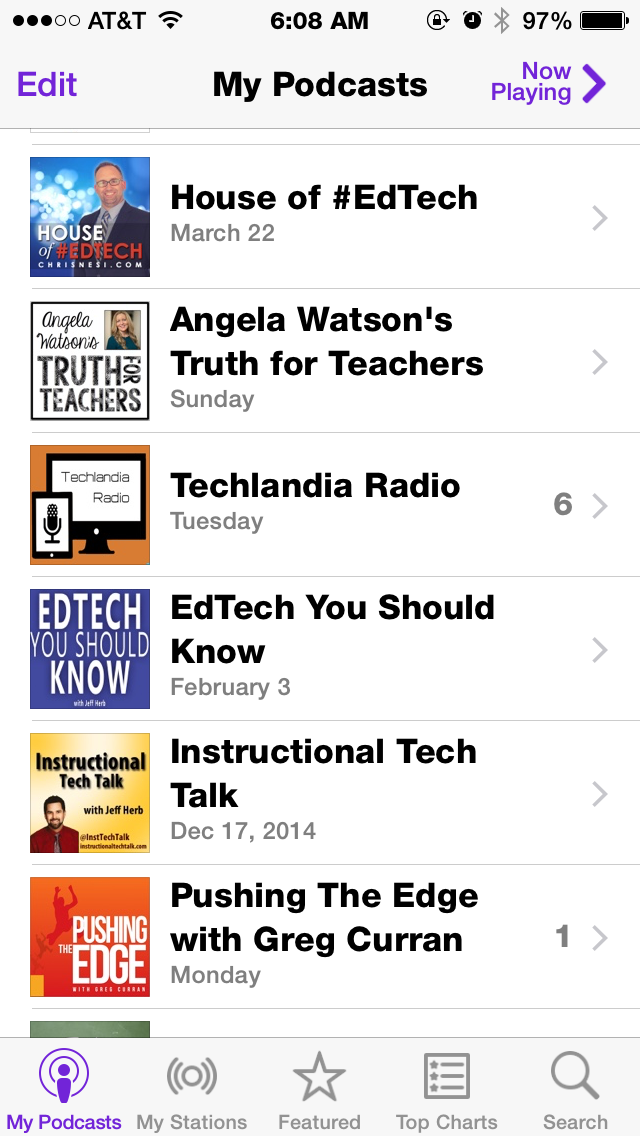
Apple's Podcast App 

A quick search in iTunes, Stitcher or Google will show you that educators are taking to the mic and broadcasting their expertise beyond the classroom. Educational podcasts are the NEW PD. New content is generally created on a weekly or biweekly basis and topics range from information as specific as educational technology to broader topics like educational truths.
It is my intention to explore one new podcast and offer tips and tricks for how you can make podcast listening a worthwhile source of professional PD.

The House of #EdTech with Chris Nesi
This week I bring you The House of #EdTech with Christopher Nesi (@mrnesi)

The House of #EdTech was my first experience with educational podcasts and is still one of my favorites! Chris releases new content every other week and the information he shares “explores how technology is changing the way teachers teach and the impact that technology is having in education.” His episodes include an interview with a leader, teacher or creator in educational technology (I am always left wanting more), an ed tech thought, an ed tech recommendation (an app or other edtech tool), and the House of #EdTech VIP (I have expanded my Twitter PLN with Chris’ list of VIPs!). Episodes range from 18 - 64 minutes. For more information about The House of #EdTech, visit http://www.chrisnesi.com

Tips and Tricks for Getting Started (using Apple's Podcast App)
  1. Download and/or open your podcast app (as an Apple Girl, I use Podcast).
  2. Search for the specific podcast you you want to download (this week I recommend the House or #EdTech), or search using key words (educational technology, reading, math, grammar, etc.)
  3. Click on the cloud next to the episode you want to download or click on the podcast "Cover Art" for a list of podcast episodes and click on the cloud of episodes you wish to explore.
  4. Go back to My Podcasts, select the podcast you just downloaded and then select the specific episode.

Happy Listening!

IMG_6336.PNG
I'm an Apple Girl-
all podcast links direct to iTunes
I hope you join me each week as as I explore one podcast from my list and offer advice for how you can leverage podcasts to enhance your own professional and personal learning. This is an abbreviated list of what’s currently on my podcast app and what's to come in future posts. 
What podcasts are you listening to? Do you have any favorites? Tell me in the comments below.

Thursday, April 2, 2015

Self-service password recovery for Google Apps users

Posted: 02 Apr 2015 05:19 AM PDT
Password recovery can be a frustrating and time-consuming activity for both Google Apps admins and the people in their domains who have been locked out of their accounts. With today’s launch, we’re giving admins the option to reduce their workload, and save time for those who have been locked out of their accounts, by enabling the ability for non-admins to reset their own passwords.

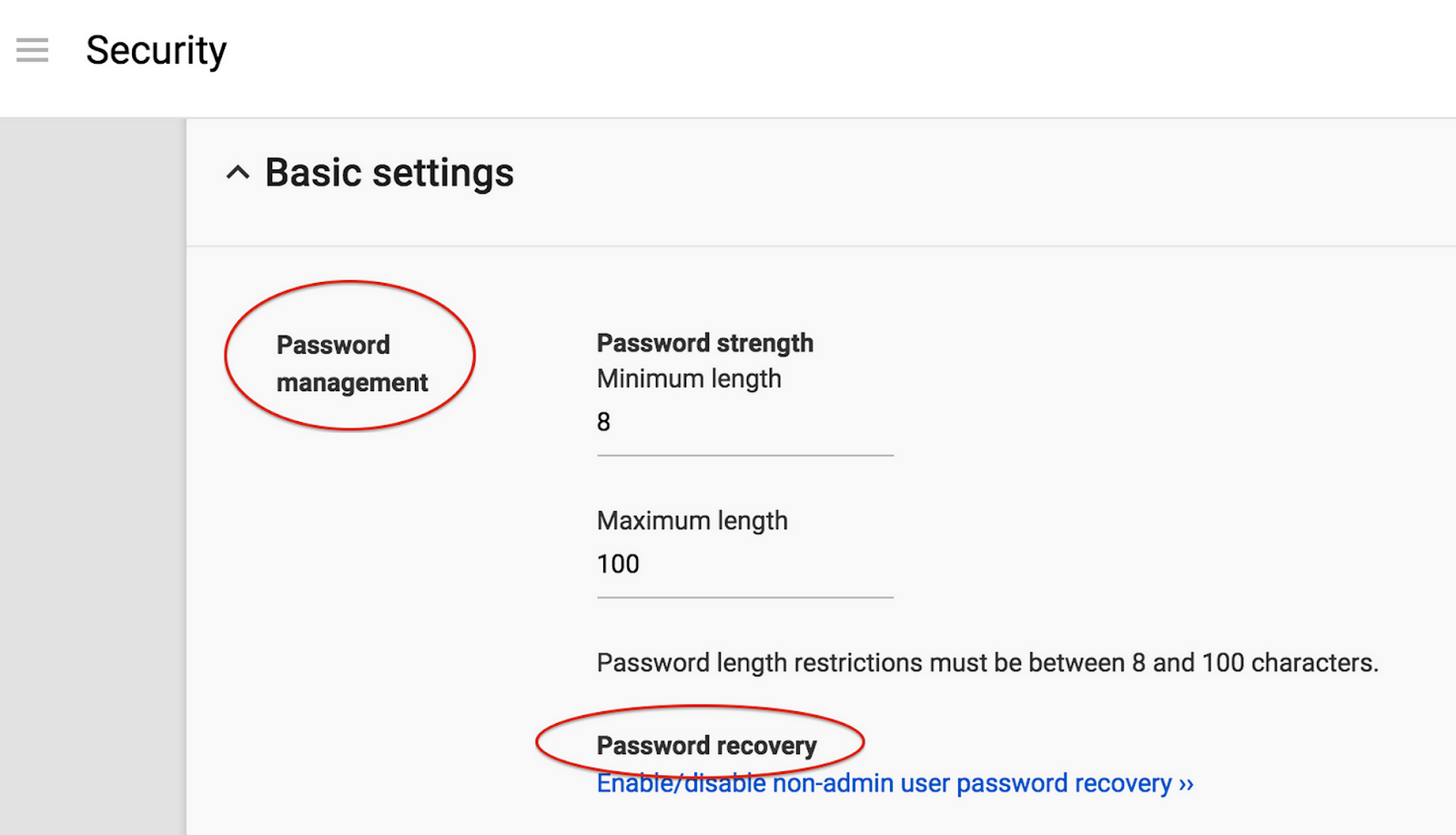
This new feature is defaulted off at launch and can be enabled from the Admin console at: Security > Basic settings > Password Management. In the Password recovery section, click on "Enable/disable non-admin user password recovery."
password_recovery.png

Non-admins must have set up a recovery phone in order to reset their own password. Admins should check the Help Center for considerations regarding 2-Step Verification, off-boarding, and hijacked accounts before enabling this feature.

Note: this feature is not available for customers using Single Sign-on (SSO).

Release track:
Rapid release and Scheduled release (gradual rollout)
Follow up: Google+ Photos coming to Google Drive

Posted: 02 Apr 2015 10:58 AM PDT
Earlier this week, we announced that the photos and videos you keep in Google+ Photos will now be available in Google Drive. This feature will begin rolling out to Google Apps customers during the week of April 6th.

A few things to note in advance of next week’s rollout:
§ All users will see a new menu item in Drive called Google Photos, including those who don’t currently use Google+ Photos.
§ Upon launch, a notification in the Drive web UI will give users the option to add a Google Photos folder to their My Drive, allowing them to manage their photos and videos alongside other types of files. They can also control this feature via Drive Settings > General > “Automatically put your Google Photos into a folder in My Drive.”
§ If the user opts to create the Google Photos folder in My Drive, and is also a Sync Client user, they may want to go to Sync Client Preferences -> “Sync Options” and selectively remove the new Google Photos folder from syncing to their desktop.
§ Users can rename, move, share or delete the Photos folder in My Drive as needed.
§ If at any time a user unchecks the setting to put Google Photos into the Photos folder in My Drive, the folder will continue to exist (unless deleted by the user) but no new photos will flow in.
§ Photos and videos that do count against quota that are backed up to Drive via Auto Backup will only count once against a storage limit, but Apps users may want to review their Google+ Photos Auto Backup settings to avoid inadvertent syncing to their corporate Drive account.

Release track:
Rapid release planned for April 6 (gradual rollout), with Scheduled release to follow two weeks later

Wednesday, April 1, 2015

An update on the new Google Drive UI

Posted: 31 Mar 2015 11:39 AM PDT
Last year, we started the gradual rollout of the new Google Drive UI as the default user experience for Rapid release Google Apps customers, while retaining the ability to return to the old Drive UI via the Settings drop down. After pausing the rollout to work on some performance improvements, the rollout was resumed and completed earlier this month.

For Scheduled release customers, the rollout of the new Google Drive UI as the default user experience will occur in early April (currently planned for April 7, as per the release calendar).

In the first half of May at the earliest, we’ll remove the option to return to the old Drive UI via the Settings drop down. At least two weeks before the removal of the option to return to the old Drive UI, we will show a notification in the Drive UI about the upcoming change.

Please note that the new Drive UI does not work with older unsupported browsers prior to and including Chrome 23, Firefox 23, IE9 and Safari 6, so it’s important to upgrade to a supported browser to ensure continued access to Drive.

Release track:
Opt-out experience coming to Scheduled release in early April (planned for April 7); Removal of the ability to return to the old Drive UI planned for no sooner than early-May for Rapid release domains, with Scheduled domains to follow two weeks later.

See the release calendar for specific dates for the removal of the option to return to the old Drive UI, as they may shift out further. Additional comms to follow.