Showing posts with label IRLA. Show all posts

Tuesday, December 8, 2015

Google Search by Reading Level

Here's a great tip from GMS IRLA teacher Peter Shaughnessy:

Did you know that you can conduct a Google search by reading level? See below for a step by step guide, from the original Teach Thought blog post, How to Google Search by Reading Level

What's your favorite tip or trick?


How To Google Search By Reading Level
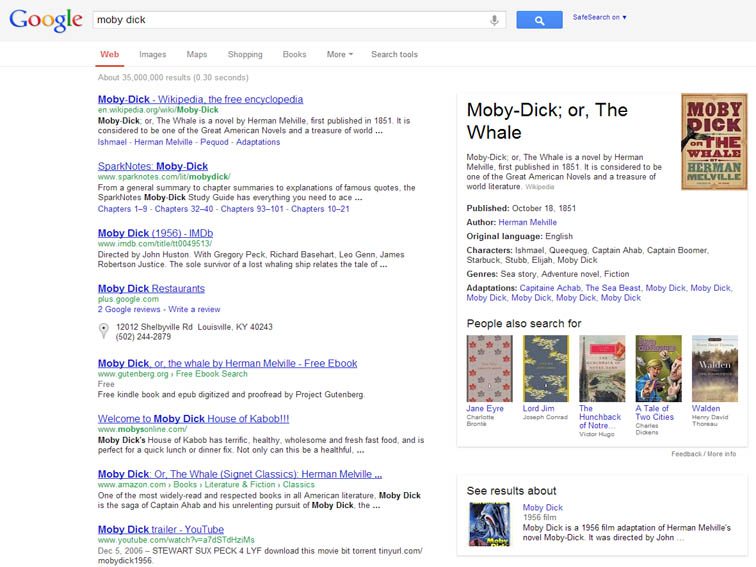
1. First, choose a term and Google it as you always have, whether you’re looking for a copyright-free version of Moby Dick, or an analysis of Moby Dick by a certain reading level.
google-search-by-reading-level
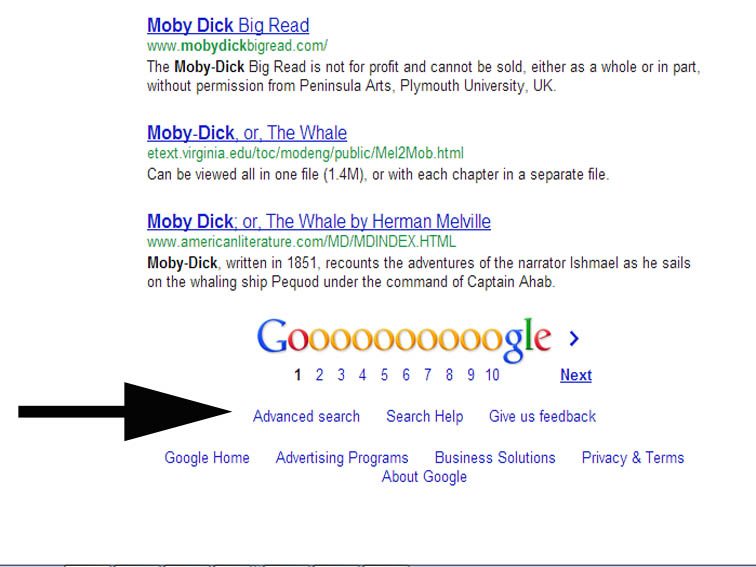
2. From the results page, scroll to the bottom and click on “Advanced Search.”
google-search-by-reading-level-4

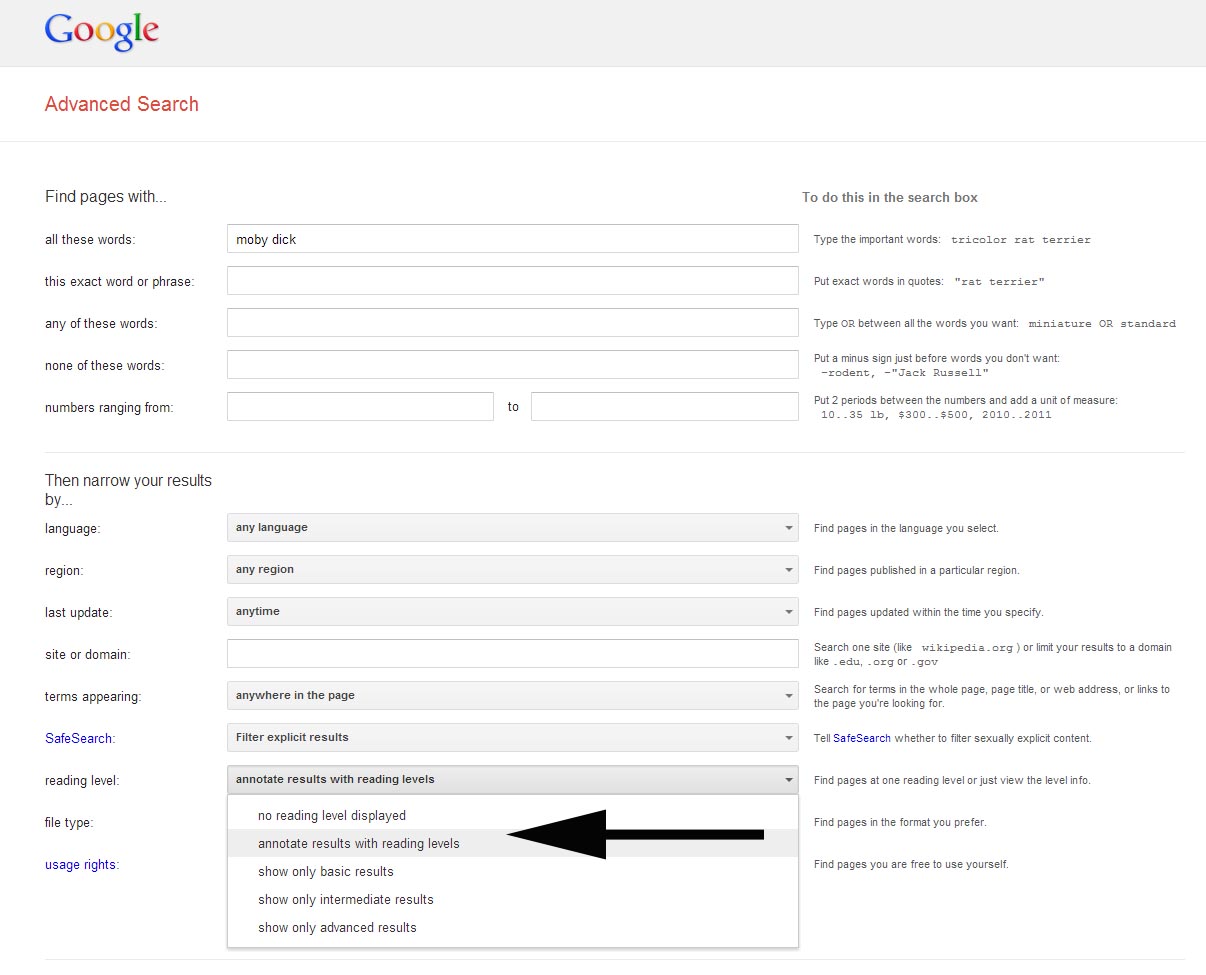
3. Within the Advanced Search options, you can choose whether or not you want to annotate the search results with reading level, or filter the search results by reading level (Basic, Intermediate, or Advanced).
google-search-by-reading-level-2
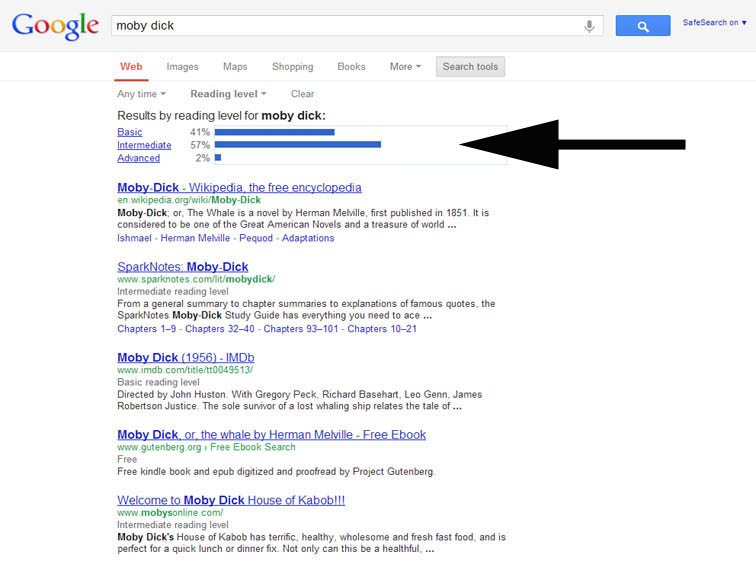
4. After you select an option, click ‘Advanced Search to display the modified search results. Next, click “Advanced Search,” scroll to the bottom, and filter results by reading level.
Once the filtered results show, you’ll notice a bar graph display at the top of the search results quantifying the search results by reading level (e.g., 35% Basic, 46% Intermediate, 19% Advanced). This is a nice opportunity to make some inferences about your search term or the publishing nature of media around that term as well.
google-search-by-reading-level-3

For more great ideas from Teach Thought, check out 30 Innovative Ways to Use Google in Education

Friday, November 13, 2015

Storyboarding in Seventh Grade Language Arts: A Google Drawing Exploration!

This week we have a guest post from Brittany Rivera, 7th Grade IRLA at CMS. 


To be frank, the 1-to-1 initiative intimidated me. Even as a third-year teacher, I couldn’t stop thinking about how I could possibly change from the way I was “used” to teaching. How could I consistently incorporate this much amazing technology in the classroom? How would I get there? How could I use these devices in the best way possible?


I started thinking about my visual learners and the goals I wanted my kids to reach. I wanted them to feel like close reading was a natural practice as opposed to something they “had” to do. It wasn’t enough to model and practice close reading on paper. I needed to do something else.


The New York Times Ed Blog opened a lot of doors for me and inspired me to try Storyboarding as a way to practice Close Reading. Students were placed into three groups with a different short story per group. The focus of the lesson was using a Storyboard to gather relevant evidence as well as choose visuals to increase their understanding of each piece of evidence. In the day’s experience, I found that my students felt more empowered in terms of understanding their stories, and their inferences and claims were so much stronger.

Using Google Drawing, students were able to develop their Storyboards. They could share their work with partners within the classroom and participate in a gallery walk where they had the opportunity to see other students work and how they incorporated visuals into their analytical reading work.  It was truly an awesome experience and gave kids the opportunity to interact with texts in a more creative way!

My Model
Students participating in our Gallery Walk
Students were given the option of using paper storyboards over the Chromebook; Chromebooks were used most often!

A student’s work on the short story “The Stolen Party”


A student’s work on the short story “Thirteen and a Half”