Showing posts with label professional development. Show all posts
Showing posts with label professional development. Show all posts
Friday, October 14, 2016

Friday, September 30, 2016
Friday, September 16, 2016
Thursday, September 1, 2016
Tuesday, April 26, 2016
The Edcamp Experience from Matthew Warren

Edcamp Garden State is this Saturday, April 30th!
It will be a full-day, unconference where educators choose the topics, choose the format, and spend the day learning with and from other educators. You can click this link for more information about the event and this link to register.
Never been to an Edcamp before? Take a look at the post below to learn a little bit more about what you can expect at an Edcamp.
_________________________________________________________________
The post below is from Matthew Warren, social studies teacher at High School South.
The post first appeared on Matt's blog, WWP Historians.
_________________________________________________________________
My Experience @EdCampNJ 2015
On Saturday, November 21, I spent the day at an EdCampNJ "un-conference." It was awesome!
What's an un-conference? Let me explain.
- The first thing that makes and un-conference an un-conference is that almost nothing is planned. Sounds strange for a conference, I know, even disorienting. But my experience was organic and dynamic, fluid and free (even the conference price was free!). During the first hour (or so), participants who wanted to share something with their peers added their names, topics, and twitter handles to a shared Google Sheet. Before I knew it, there were dozens of sessions that I could choose to attend. (This sheet was blank at the start of the conference; within the first hour, it was full.) Subjects ranged from incorporating technology in the classroom to formative assessment strategies, from new PD opportunities to helping students cope with stress. Conference attendees viewed this sheet and selected the session(s) that they want to attend, and then headed to their first session.
- The second thing that makes an un-conference an un-conference is a rule that governs the entire event: "the rule of two feet." At any moment, if you want to head to another session, you are free to leave your current session and enter one of your choosing. Attendees freely moved in and out of sessions, and because everyone was on the same page, including presenters, somehow, the process worked. Through this emergent process, a combination of small, individual, and freely made choices developed into an amazing conference that meet my needs and did not bore (cf. your usual conference experience).
- Session I - Student Stress: My first session addressed the topic of student stress at the district level. My district superintendent, Dr. David Aderhold, led this session. This topic has been an important one in my district recently, but I was interested by the fact that so many teachers and administrators from other districts echoed similar concerns. It made me think about my own classroom (AP US History) and how to balance academic rigor and student stress. I do not have the answer, but this session confirmed for me the necessity and seriousness of this conversation.
- Session II - Standards-Based/Referenced Assessment & Grading: It appears that my district may be moving in the direction of Standards-Based/Referenced Grading. Tovi Spero, one of my co-workers led this session. He has been using this system for the past couple years, so shoot him a line (or tweet) if you are interested; the talk was really helpful.
- Lunch - Free pizza & I won a raffle - 1st time ever! I won access to a great strength assessment resource from Thrively.
- Session III - Digital Portfolio: This was My Biggest Takeaway; the conference was worth this one session. Sean Hackbarth of Westwood Regional Middle School led a session on the creation and uses of digital portfolios (see his website here). I learned that with Google tools, I can help my students to create portfolios of their best work. I hope to incorporate such portfolios into my courses next year, and will begin experimenting with them this year. If experimenting with portfolio creation in my own classes is successful, I can imagine moving toward the development of digital portfolios that travel with students across grade-levels. Not only would this help students and teachers to track progress across grades, but students could present such portfolios as part of their college applications, showcasing their best work across their academic careers.
- APP Smackdown: The un-conference closed with teachers and sponsors sharing their favorite apps and ed tech. My list of new resources to try is in the double digits.
- I highly recommend this un-conference. I left it feeling empowered, equipped, and eager to engage my students with the resources and techniques that I learned. I especially enjoyed the emergent structure, the freedom of choice, and the collaboration I experienced with my peers. The price tag was nice too ($0.00). I hope to see you at the next one!
~Matthew Warren
Wednesday, April 13, 2016
Gale Reference Library shared by Jessica Verrault
This post is from Jessica Verrault, World Language Teacher at High School North
___________________________________________________
Check out the Gale Reference Library!

If you have, go you! You are wayyy more in the know than I was just a few months ago! I found out about the Gale Reference Library through a colleague while searching for a book for one of my graduate courses. I found not one, but two of the books I needed available and ready to download straight into my Google drive. Thanks, Gale!
Here are are a few of the titles you’ll find available:
- Looking to do some curriculum writing/revision? Read this first! Understanding by Design (2005) by Grant Wiggins & James McTighe

- Confused about formative assessment? This book describes the entire process! Transformative Assessment (2008) by W.James Popham
- Wondering what highly effective teaching looks like? Read about it straight from the source! Enhancing Professional Practice (2007) by Charlotte Danielson
 Don’t have the time to read?
 Amen, sister! (or brother!)
Luckily, on the Gale Reference Library all books are available to download as Mp3s. Why not get some PD during your drive to/from work?
Thinking of starting a professional book club with your colleagues?
Choose a book from the Gale Reference Library, start a Google Classroom, and download the book’s chapters right into your Google Classroom folder for all to share. It couldn’t be easier!
Choose a book from the Gale Reference Library, start a Google Classroom, and download the book’s chapters right into your Google Classroom folder for all to share. It couldn’t be easier!
The Gale Reference library can be accessed via our WW-P Staff Resource Site under District Resources.

Happy reading!
~Jessica
Tuesday, December 22, 2015
Peer Classroom Visits: HS teachers visit Millstone River!
On Wednesday, December 16th, high school teachers came over to Millstone River School for classroom visits. We came over for the opportunity to see what students at this level are working on. We were also curious to see how various technology resources are being used by students at this young age.
We started out our morning with a discussion about this practice as a form of professional development and how powerful it is to step outside of our own classrooms, content areas, and grade levels. There is so much we can learn from one another! Then, Laura Agnella shared some of the technology resources that the 5th grade teachers are working with and we discussed how they could be incorporated at the high school level. Then, we went off and visited the classrooms to see the students in action. It was a very productive and inspiring day for all of us!
Thank you again to all of the Millstone River teachers who opened up their classes and invited us in.

Here are some of the day's takeaways:
After attending the professional development day on utilizing chrome books and Google Classroom at MRS, I realized that we as educators have a proactive say when it comes to the major technologies that are being established within our district. This professional work shop provided me with helpful instructional strategies/ resources that I could incorporate into my daily lesson plans.

We started out our morning with a discussion about this practice as a form of professional development and how powerful it is to step outside of our own classrooms, content areas, and grade levels. There is so much we can learn from one another! Then, Laura Agnella shared some of the technology resources that the 5th grade teachers are working with and we discussed how they could be incorporated at the high school level. Then, we went off and visited the classrooms to see the students in action. It was a very productive and inspiring day for all of us!
Thank you again to all of the Millstone River teachers who opened up their classes and invited us in.

Here are some of the day's takeaways:
____________________________
My decision to participate was
based on my desire to visit the elementary schools and get a taste of what my
students in the Youth Teaching Youth program experience during their field
placements. I entered Millstone River with that thought in mind; however
I gained so much more. I left the building inspired, motivated,
encouraged, and actually more relaxed, particularly regarding technology and
the use of it in the classroom. Not only was there an informative Google
“workshop” in the Library at the start of the day, in each classroom visited
the students were actively involved and then willing to explain to their
guests how their devices are used for various educational purposes. Their
enthusiasm was exciting and contagious! I am grateful to have had the
opportunity to be a part of this experience and extend my thanks to the teachers
and students at Millstone who so graciously opened their classrooms to visitors
that day and the colleagues who designed it to be such a rewarding day.
(Dawn Bozian, Life Skills, HSS)
____________________________
Entering
someone else’s world (classroom) opens up a whole new set of possibilities for
my world (class). You are exposed to new ideas and concepts that
Pinterest just can’t capture. You also get to see how these pedagogical
approaches impact both student and teacher alike. Visiting other people's
classes (especially different grades and subjects) should be required PD hours
for every teacher.
Seeing
the foundations of technology literacy in our students is an amazing process.
The ease with which students are able to interact with both the
technology and each other is a sight to see. Neither exists without the
other. Incorporating technology at such a young age is always a concern.
Will they interact with the technology but lose the ability to interact
with one another? Do they have too much access to information that we
needs to be filtered? And the list goes on. A brief trip to the
elementary school quickly alleviates those concerns. The technology is
woven into all aspects of the classroom and gives students the autonomy to use
the technology when they feel it is appropriate, but not to limit them when
they feel other methods will be more effective. I hope that all classes
are using technology as effectively as the ones that I witnessed on my recent
visit.
(Bob Corriveau, Science, HSN)
____________________________
At the end of our morning "Tech Share" before our classroom visits, Melissa and Laura told us that they hoped we'd have a productive day. My day was already productive because of the thoughtful presentation Laura prepared for us on technology resources. In addition, the benefits of visiting other classrooms are many. . . from observing how other teachers utilize technology and motivate their students to making connections with colleagues that extend beyond grade level and discipline area. Other than what I learned during the brief morning I spent at Millstone, I now also have colleagues that have offered to share further insight and resources. I welcome more opportunities like this one, and am happy to open my classroom as well.
(Beth Pandolpho, Language Arts, HSS)
____________________________
I would definitely sign up for this professional development again! A big thank goes out to the MRS staff that allowed us to come into their classrooms!
(Christine Fityere, Special Services, CMS and HSN)

Friday, May 8, 2015
Why Tweet?
A few months ago we launched the Tweet 10 Challenge. This challenge was over a five day period where we had WWP utilizing Twitter. Each day was designed to introduce an individual to the features of Twitter in a 10 minute activity.
One first grade teacher at Dutch Neck, Stefanie Burnett (@Burnettwwp), describes why she uses Twitter.
One first grade teacher at Dutch Neck, Stefanie Burnett (@Burnettwwp), describes why she uses Twitter.
Why use Twitter as an educator?

Until taking the Tweet Challenge set up by the tech team, I
had a misconception about Twitter. Why join
another social media site mostly targeting celebrity gossip? I don't need to know
more about the Kardashians! How would this enhance my professional repertoire?
I soon discovered how wrong I was. Here are some ways that I
use Twitter for professional development:
- Participate in Twitter chats – using hashtags such as #1stchat and #TCRWP I am able to collaborate and share resources with other educators worldwide.
- Follow classroom teachers – I am able to see what they are doing in their classrooms. I noticed a teacher was working on the same reading unit. I asked her if she could share a reader’s theater script with me. This teacher happened to be in the same district but I do not have daily contact with her. It was great to be able to connect with her and what she is doing.
- Follow iPad apps – I get notices when new updates occur or new ways to utilize the app by other educators.
- Teachers follow me – I am able to share my created resources with others worldwide.
- Search by hashtags to find resources to utilize.

Friday, May 1, 2015
Podcast PD Week 3 - What IS a Podcast?
As educators, many of us have made mistakes. Some mistakes may have been big and others were so inconsequential they went unnoticed. I am starting this post with an apology for a mistake I have made with Podcast PD (I am sad to say this is not the first time I have made this error in my teaching career). What is that mistake? I assumed you, the reader, knew what a podcast is. BIG mistake on my part! And I'm sorry. As with any new material we introduce in the classroom, we need to be sure that our students and /or our audience has a cursory understanding of the new concept being taught. We need to provide definitions for new vocabulary. In my excitement to share podcasts with you, I neglected to give you a definition for the term podcast. This week I will right that wrong. I have solicited the definition for the word podcast from those who are involved in podcasting. Here are the definitions I received from three amazing talents in podcasting:
Angela Watson - "I define podcasts as an online talk radio show you can download and take with you wherever you go."
Jeff Bradbury - "The term “Podcast” originated with the combination of the words “iPod” and “Broadcast.” Originally this was designed to describe a piece of digital media (audio or video) that was distributed by an RSS feed. A Video is only a video. An audio file is only an audio file. It is only when you place that file on a feed where the content can be searched for and SUBSCRIBED TO when the “cast” part comes in. Creating a movie on an iPad and calling it a “Podcast” is like going to the office and making a “Xerox” when you are really making a copy. We as educators are mislabeling the term and it is being watered down."
Chris Nesi - "A podcast (video/audio) is content that a user subscribes to and receives automatically. Content is released on a regular schedule to the consumer. Podcasts express the passions of their creators for the benefit of their audience who will share the same interests and passion."
I hope that these definitions help shed some light on what a podcast is and isn't. I also hope that you have subscribed to one of the podcasts I have mentioned in my first and second posts. If not, there's always this week's recommendation, which brings you two podcast!
This week I offer you two podcasts:

Angela Watson - "I define podcasts as an online talk radio show you can download and take with you wherever you go."
Jeff Bradbury - "The term “Podcast” originated with the combination of the words “iPod” and “Broadcast.” Originally this was designed to describe a piece of digital media (audio or video) that was distributed by an RSS feed. A Video is only a video. An audio file is only an audio file. It is only when you place that file on a feed where the content can be searched for and SUBSCRIBED TO when the “cast” part comes in. Creating a movie on an iPad and calling it a “Podcast” is like going to the office and making a “Xerox” when you are really making a copy. We as educators are mislabeling the term and it is being watered down."
Chris Nesi - "A podcast (video/audio) is content that a user subscribes to and receives automatically. Content is released on a regular schedule to the consumer. Podcasts express the passions of their creators for the benefit of their audience who will share the same interests and passion."
I hope that these definitions help shed some light on what a podcast is and isn't. I also hope that you have subscribed to one of the podcasts I have mentioned in my first and second posts. If not, there's always this week's recommendation, which brings you two podcast!
This week I offer you two podcasts:
EdTech You Should Know and Instructional Tech Talk with Jeff Herb (@InstTechTalk) and Jon Samuelson (@jonsamuelson)
Jeff Herb produces two wonderful EdTech podcasts (along with co-hosting at least one more-TechEducator Podcast). He is a wonderfully knowledgeable host with a voice well suited for a professional radio gig. EdTech You Should Know brings you one tech tool each episode. The shows are short (4-15 minutes), but include a wealth of information! The longer format of Instructional Tech Talk offers the same listening experience as The House of #EdTech, with interviews, Twitter recommendations and a plethora of knowledge. Episodes range from 16 - 69 minutes. The show was on a brief hiatus, but is back with new cohost, Jon Samuelson, and a new app recommendation, Periscope.
Tips and Tricks
Make sure you never miss an episode by subscribing to your favorite podcast. Every time a new episode is released, it will automatically be added to your podcast catcher. Also, Start from the beginning, as many podcasters refer back to previous episodes and previous content. It's like starting with season one of a new TV series-by subscribing and starting at the beginning of a podcast, you can binge on the episodes like you might a new Netflix show.
Be sure to join me on Twitter Sunday evening for the 4th week of #PodcastPD

Friday, April 10, 2015
Podcast PD Week Two - Angela Watson's Truth for Teachers
Last Friday, April 3rd, I introduced the weekly series, Podcast PD and charged you with exploring educational podcasts as a way to leverage your learning in a nontraditional learning environment. I hope many of you accepted the challenge and downloaded a podcast and listened to a whole episode. I heard from a number of you that you had never explored podcasts in general, let alone educational podcasts. The feedback I received via Twitter was positive. Teachers throughout my PLN (Professional Learning Network) shared their adventures in subscribing and listening to something new. Some asked questions. Others shared their love for podcasts and made recommendations for radio shows to which they subscribe. Still others shared their experiences being interviewed for a podcast! Overall the Twitter conversation that transpired was inspiring. The conversation was so motivating and connected so many people, I decided to capture the conversation using the amazing site Storify. I hope that you are inspired to try a new podcast this week!
 This week I recommend Angela Watson’s Truth for Teachers with Angela Watson (@Angela_Watson)
Angela packs a lot of power and punch into her quick (think 9-14 minutes) weekly episodes! Topics range from beating the Sunday night blues to how to approach teaching with a spirit of adventure to how to cope when a parent just doesn’t like you. Her advice is spot on and applicable to the novice and not so novice teacher. I like to listen to her podcasts Monday morning on my way to school as a way to charge the batteries for the week ahead. Her encouragement and take away truth really set a positive tone. Angela signs off on each episode by saying “I’m not telling you it’s going to be easy, I’m telling you it’s going to be worth it.”, a quote from Art Williams. I can assure you that her podcast is worth it! For more information about Angela and Truth for Teachers visit Angela’s website at The Cornerstone For Teachers.
Tips and Tricks for Getting the Most PD From Your Podcast Listening Experience
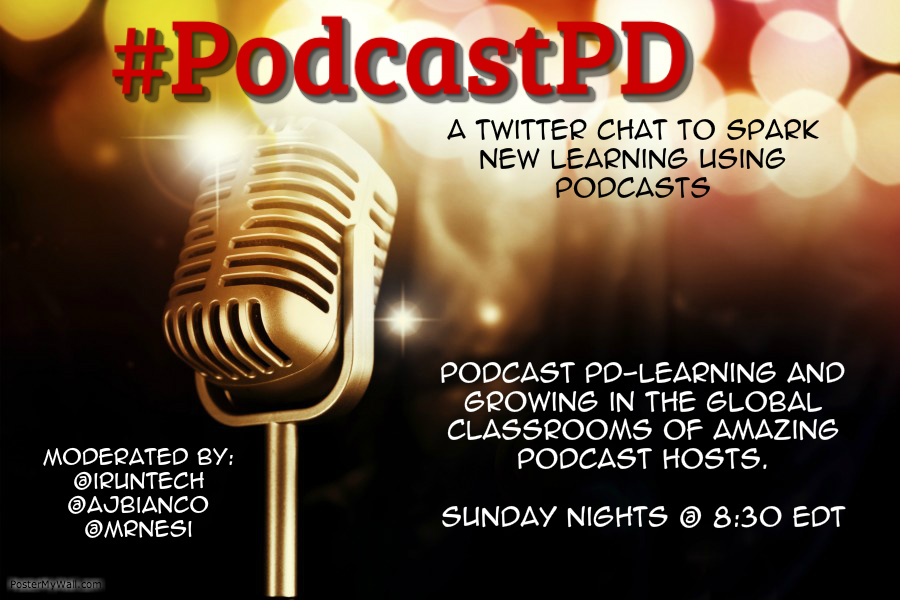 As I mentioned at the start of this post, ideas were flying around Twitter on Friday evening after a friend posted that she had downloaded and listened to her first podcast and was hooked. As we started discussing future shows to explore and others joined our conversation, the idea for a new Twitter chat was born. Please join me Sunday evening at 8:30 pm EDT for #PodcastPD. There we will discuss the learning that is taking place as we step into the virtual classrooms of some amazing podcast hosts. I hope to see you Sunday night at 8:3o!
Friday, April 3, 2015
Podcast PD-A Series Exploring the Infinite Resources Available Over the Air Waves
As teachers we often find ourselves stuck in the rut of attending traditional Professional Development (faculty meetings, in district PD, out of district workshops, morning shares and lunch & learns). In the ever evolving educational world in which we live there are myriad ways to expand your learning: from Edcamps and unconferences, to weekend workshops and week long seminars, to books, blogs and webinars. One of my favorite ways to develop professionally is to listen to an educational podcast.
 |
| Apple's Podcast App |
A quick search in iTunes, Stitcher or Google will show you that educators are taking to the mic and broadcasting their expertise beyond the classroom. Educational podcasts are the NEW PD. New content is generally created on a weekly or biweekly basis and topics range from information as specific as educational technology to broader topics like educational truths.
It is my intention to explore one new podcast and offer tips and tricks for how you can make podcast listening a worthwhile source of professional PD.
 |
| The House of #EdTech with Chris Nesi |
The House of #EdTech was my first experience with educational podcasts and is still one of my favorites! Chris releases new content every other week and the information he shares “explores how technology is changing the way teachers teach and the impact that technology is having in education.” His episodes include an interview with a leader, teacher or creator in educational technology (I am always left wanting more), an ed tech thought, an ed tech recommendation (an app or other edtech tool), and the House of #EdTech VIP (I have expanded my Twitter PLN with Chris’ list of VIPs!). Episodes range from 18 - 64 minutes. For more information about The House of #EdTech, visit http://www.chrisnesi.com
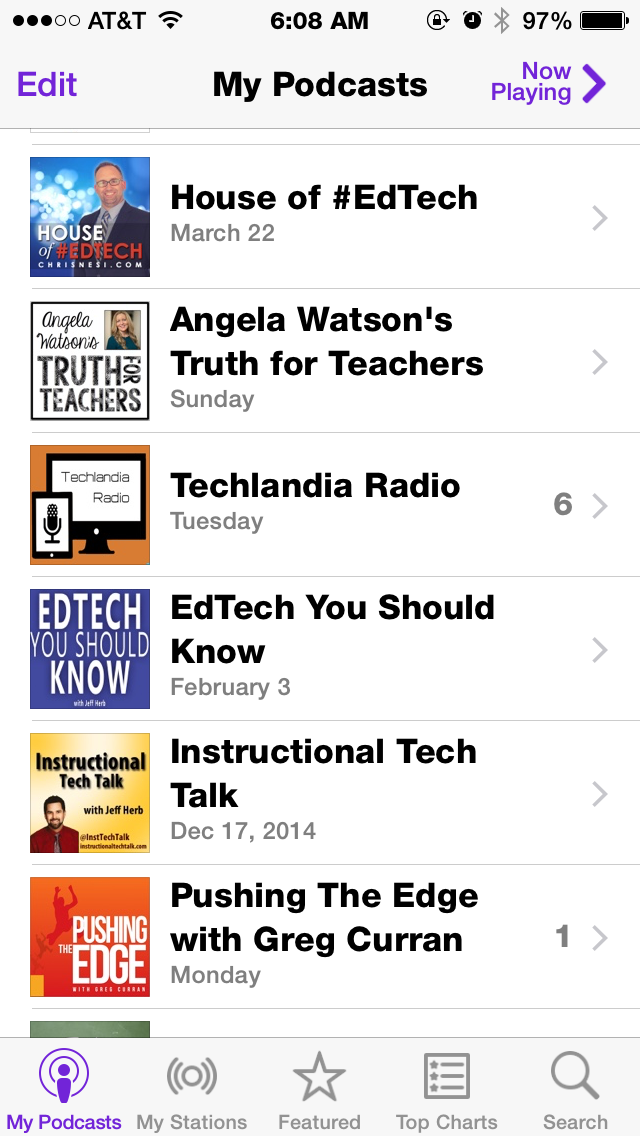
Tips and Tricks for Getting Started (using Apple's Podcast App)
- Download and/or open your podcast app (as an Apple Girl, I use Podcast).
- Search for the specific podcast you you want to download (this week I recommend the House or #EdTech), or search using key words (educational technology, reading, math, grammar, etc.)
- Click on the cloud next to the episode you want to download or click on the podcast "Cover Art" for a list of podcast episodes and click on the cloud of episodes you wish to explore.
- Go back to My Podcasts, select the podcast you just downloaded and then select the specific episode.
Happy Listening!
 |
| I'm an Apple Girl- all podcast links direct to iTunes |
What podcasts are you listening to? Do you have any favorites? Tell me in the comments below.
Friday, February 27, 2015
PD Day Follow up
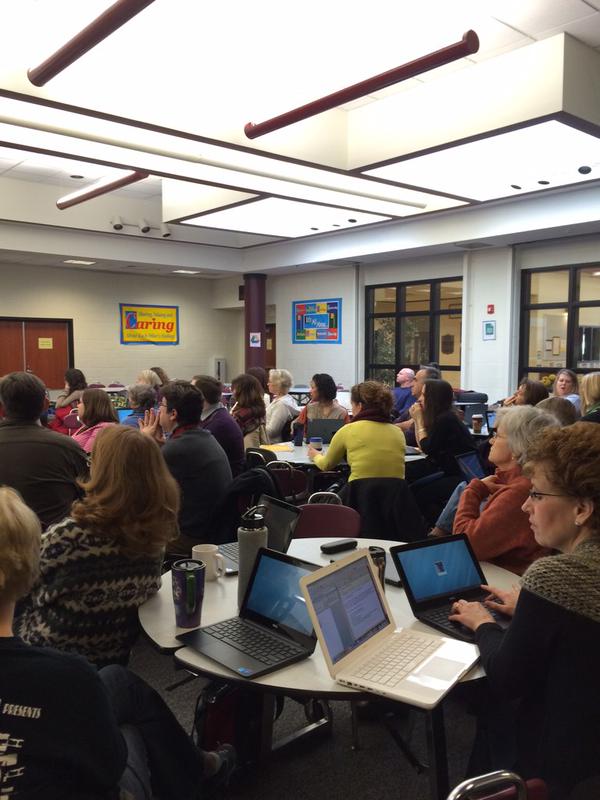
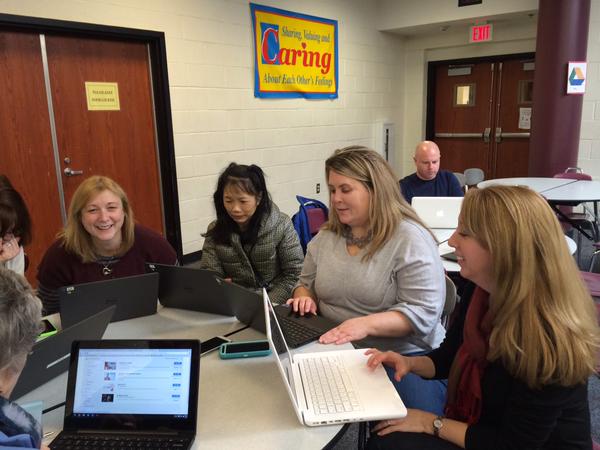
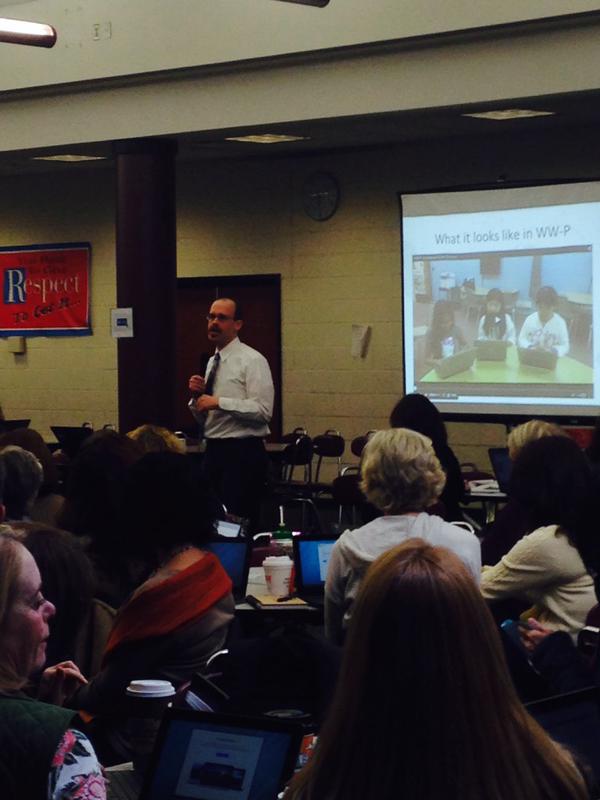
FOLLOWING UP:
We had a great time working with all of you on the February 19th professional development day. As a reminder, our objectives for the day were:
To take ownership of my own professional development by understanding myself as a learner and setting achievable goals.
To develop a clear understanding of the district technology initiatives including Google Apps for Education (G.A.F.E.).
These objectives are ongoing. Your teacher resource specialists are available to work with you in further exploring the concepts addressed and introduced on February 19th.
FEEDBACK
Here is some of the feedback that you shared with us:
“The time we were given to break off into different groups that wanted to focus on different parts of Google i.e. Forms, Docs, etc. The collaboration was great between people from different disciplines and content areas.”
“I appreciated the time to work with my department colleagues. When a tech staff member came to a group I was in, they shared good information and were helpful.”
“I loved getting time to work in small groups, which allowed us to really discover the different components of Google. I also liked learning about the different apps that other people shared.”
“The presentation given in the beginning was great. It gave us an idea of the expectations of utilizing the chromebook in our lessons.”
RESOURCES
Many resources that you may find helpful for your individual professional growth can be found in the shared Resources folder in Google Drive. Other resources and ideas can be found here on our WWP 1:1 Learning blog.
CONTACT US
Community Middle School
Allan Johnson
Grover Middle School
Melissa Morris
Millstone River
Laura Agnella
Village School
Stacey Lindes

Subscribe to:
Posts (Atom)